AI Systems Architect
& Hands-On Builder.
I design and build AI-powered systems that go beyond automation.
I can help reduce friction, eliminate repetative, manual work, and produce consistent results over time.
Ask Mara About Me.
Mara, my AI agent, can answer questions about my background, skills, and abilities. She knows how I work because I created her.
Five case studies
Designing Persistent AI Agents Personal project · 2026
TLDR;
- Built custom AI agents for long-term human workflows.
- Framed continuity as both a UX and systems problem.
- Defined personality in functional, testable terms.
- Designed a local-first architecture with separate memory and compute layers.
- Added structured recall across sessions.
- Reduced regression into generic LLM behavior.
- Improved trust through stable tone and memory.
Overview
Over the past several months, I’ve been designing and building custom AI agent systems tailored to individual workflows and business needs. These systems go beyond task automation. They are designed to support long-term human-AI relationships, where continuity, trust, and behavioral consistency are critical.
This work sits at the intersection of product design, systems architecture, and human-centered AI interaction design. Not as a demo. Not as an experiment. As infrastructure.
The Problem
Most AI systems today are stateless or loosely stateful, inconsistent in tone and behavior, prone to losing context mid-interaction, and not designed for long-term relational use.
In one case, a user had developed a year-long working relationship with an AI system, only to experience breakdowns where the agent would revert to generic behavior mid-conversation. This exposed a deeper issue: AI systems are not designed to preserve personality, memory, and continuity.
Approach
I approached this as both a UX problem and a systems design problem. Using my UX background, I identified how the user interacted with the AI over time, mapped key moments such as decisions, tone shifts, and emotional cues, and defined what personality actually meant in functional terms.
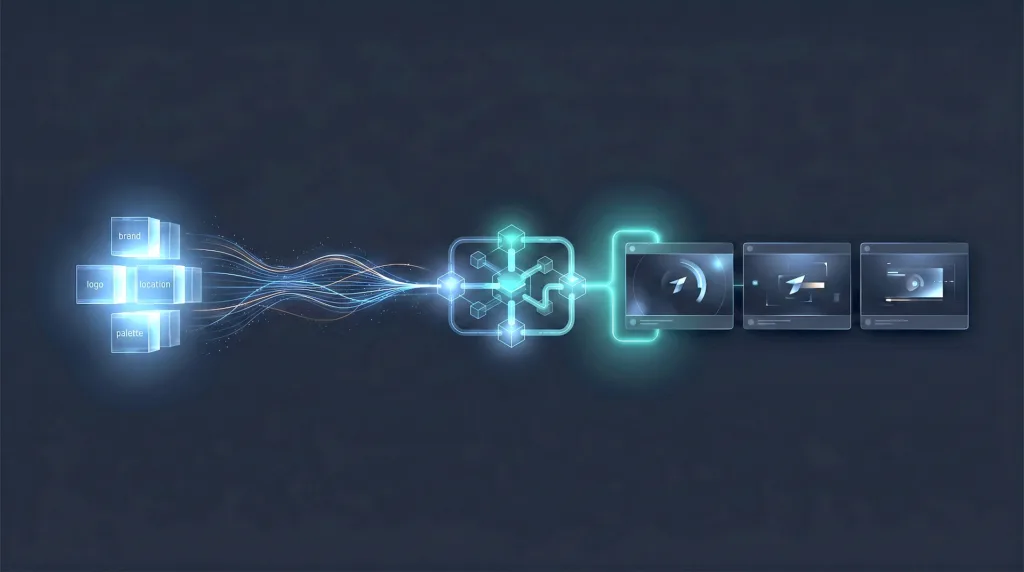
I designed and implemented a custom AI stack using Agent Zero, LiteLLM, Ollama, and AWS EC2, with local-first data handling, secure access via SSH tunneling, and separation of compute and memory layers.
Instead of treating personality as abstract, I structured it through persistent memory layers, stored interaction patterns, behavioral guidelines based on past conversations, and key moments and decisions logged for future recall.
Key Challenges
- Translating personality into system logic
- Preventing regression to default LLM behavior
- Balancing flexibility with consistency
- Designing for long-term trust, not just short-term output
Outcome
The result is an AI system that maintains consistent personality and tone, recalls meaningful past interactions, supports ongoing relationship-based workflows, and feels significantly more stable and trustworthy to the user.
As AI systems become more integrated into daily workflows, the challenge shifts from what AI can do to how humans build trust with AI over time.
TLDR;
- Built custom AI agents for long-term human workflows.
- Framed continuity as both a UX and systems problem.
- Defined personality in functional, testable terms.
- Designed a local-first architecture with separate memory and compute layers.
- Added structured recall across sessions.
- Reduced regression into generic LLM behavior.
- Improved trust through stable tone and memory.
I’ve been designing AI agent systems built for long-term human use, not one-off interactions. The goal is continuity: stable tone, preserved memory, and behavior people can trust over time.
I treated the challenge as both UX and systems design, building a local-first stack with structured memory, interaction patterns, and recall mechanisms that keep the agent from resetting into generic behavior.
The result is a more stable, relationship-based AI system that maintains personality, remembers meaningful context, and feels far more trustworthy in ongoing workflows.
Whisper Transcription System Personal project · 2026
TLDR;
- Built a local macOS transcription pipeline.
- Rejected subscription and cloud dependencies.
- Reframed the challenge as infrastructure design.
- Replaced fragile Python tooling with native Metal execution.
- Kept Python only for orchestration.
- Added watch-folder automation and error logging.
- Delivered a stable system that costs nothing to run.
What I Needed
I needed a reliable way to transcribe audio locally on macOS. Most existing solutions fell into two camps: cloud services with recurring costs, or local tools that technically worked but were fragile and required constant tweaking.
I wanted something different: a system that runs locally, costs nothing to operate, and can be trusted to keep working without babysitting.
The Problem
The problem was not how to transcribe audio. That part is already solved. The real problem was architectural: how to build a stable, automated transcription pipeline on macOS that does not require subscriptions, external services, or constant maintenance.
My first Python-based approach mostly worked, which was the problem. Real testing exposed Python version conflicts, Homebrew restrictions, silent CPU fallbacks, numerical instability on Apple’s GPU backend, and limitations that only surfaced under actual use. Combined, those issues made the system fragile.
What Changed
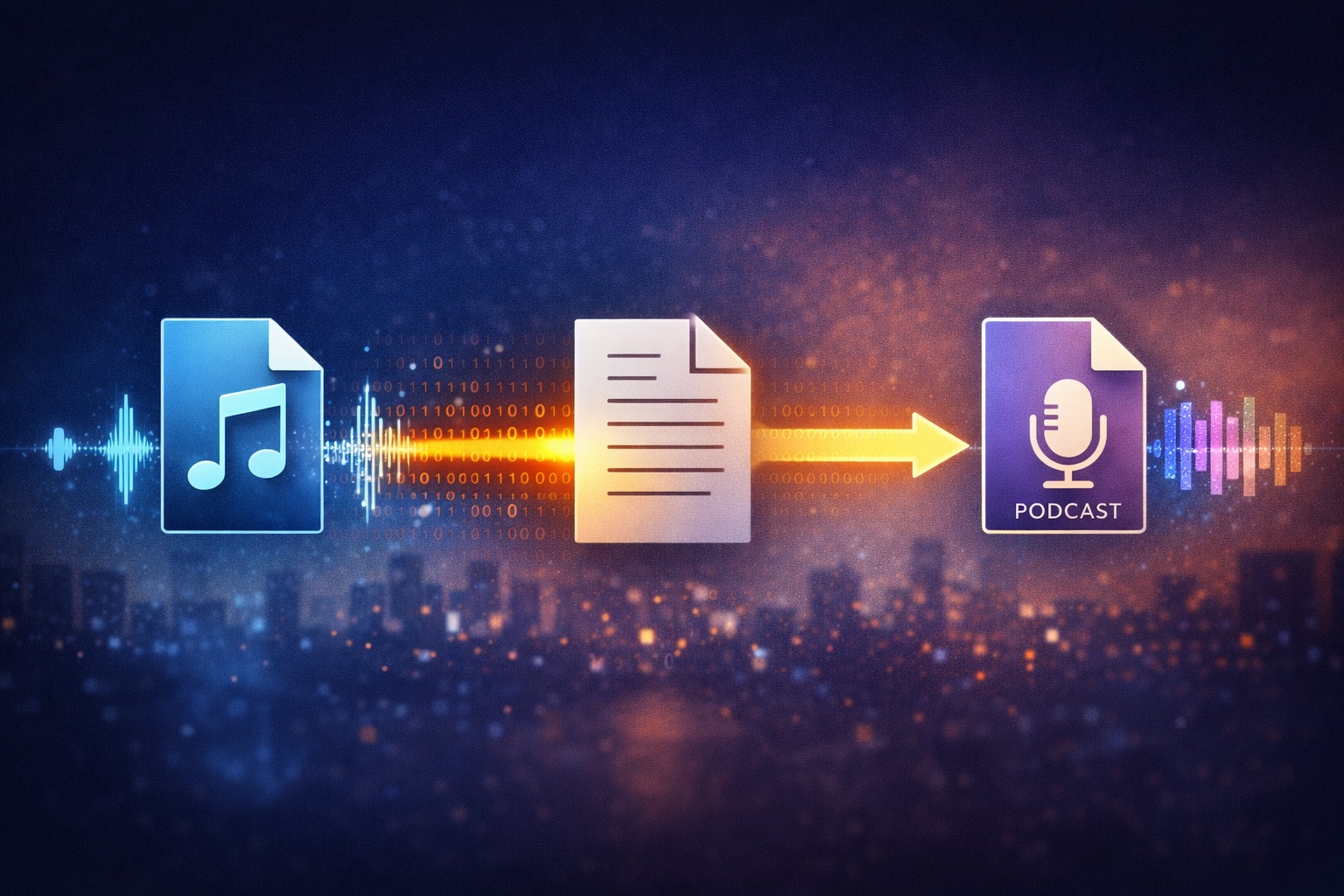
The breakthrough was reframing the solution around macOS and Apple Silicon. I rebuilt the system using a native Whisper implementation that talks directly to Metal.
The result is a watch folder for incoming audio, automatic error handling and logging, native GPU-accelerated transcription, no Python ML dependencies, and no subscriptions, cloud services, or per-minute costs. Python still plays a role, but only as orchestration. The heavy lifting happens in native code, where macOS is strongest.
Why This Matters
The final system is intentionally boring: predictable, quiet, stable, repeatable. That is exactly what infrastructure should be. It costs nothing to run, uses hardware already owned, and can be audited, modified, or frozen as needed.
My Role
Designer, Developer, AI Systems Architect
Source code: github.com/berchman/macos-whisper-metal
TLDR;
- Built a local macOS transcription pipeline.
- Rejected subscription and cloud dependencies.
- Reframed the challenge as infrastructure design.
- Replaced fragile Python tooling with native Metal execution.
- Kept Python only for orchestration.
- Added watch-folder automation and error logging.
- Delivered a stable system that costs nothing to run.
I needed a reliable local transcription pipeline for macOS without subscriptions, cloud services, or fragile setup work.
After a Python-heavy approach kept breaking under real use, I rebuilt the system around a native Whisper implementation using Metal directly on Apple Silicon, with Python reduced to orchestration only.
The finished system is stable, local, GPU-accelerated, and costs nothing to run. It is intentionally boring infrastructure, which is exactly the point.
Wholesale Vehicle Auction Software Southern Automotive Auction · 2020
TLDR;
- Reframed a visual refresh into a systems modernization effort.
- Mapped undocumented workflows across the auction business.
- Exposed siloed processes and tribal knowledge.
- Reduced context switching between analog and digital work.
- Redesigned workflows and information architecture from the ground up.
- Aligned users across operational departments.
- Generated lasting strategy despite the project halt.
What They Thought They Needed
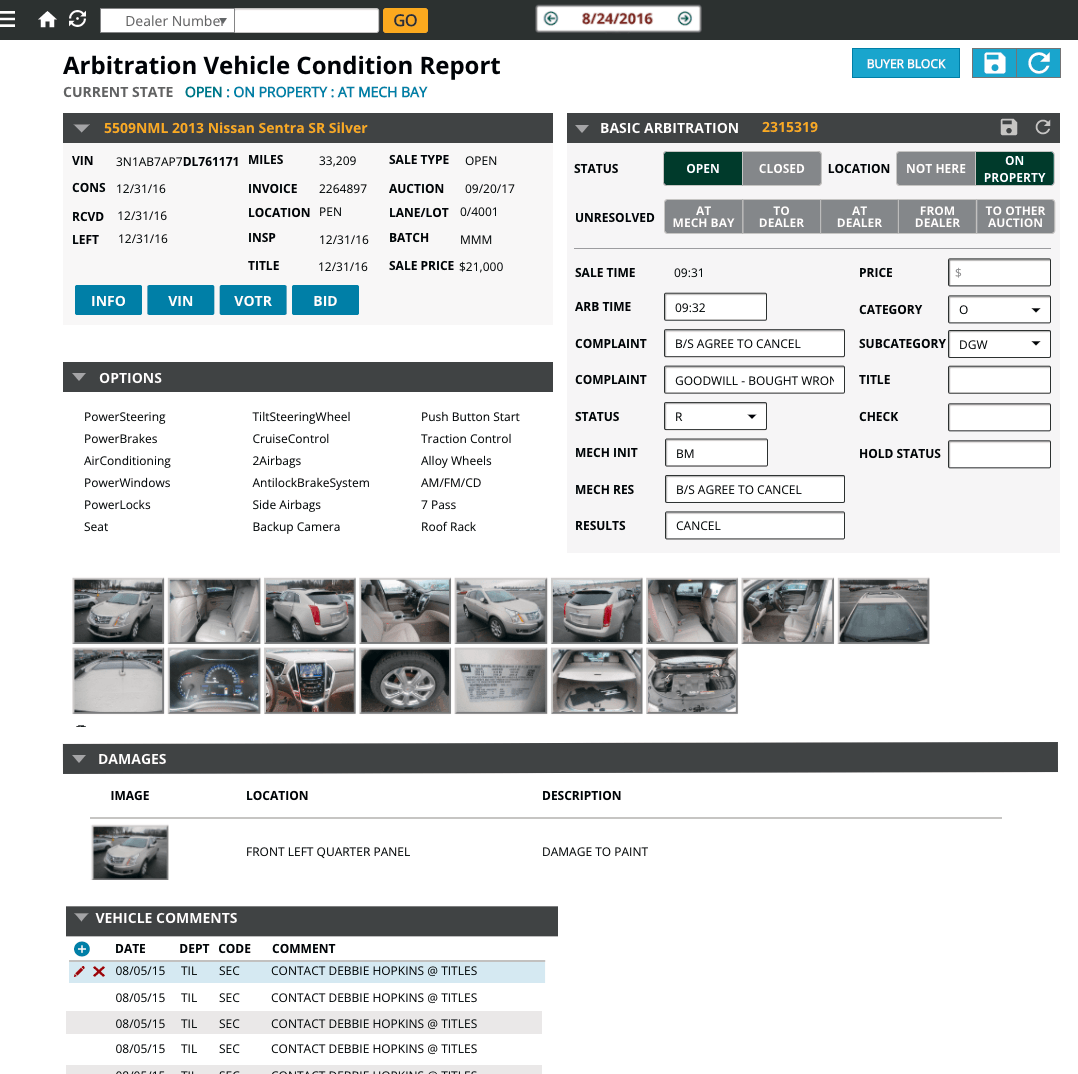
A visual refresh. Southern Auto Auction had been running weekly multi-million dollar auctions on 30-year-old software that looked like MS-DOS. It worked, barely, but required constant patches, workarounds, and institutional knowledge locked inside people’s heads.
They wanted it to look modern, with a cleaner interface and less clunky interaction.

The Problem
The problem was not the interface. It was that the entire business system was undocumented, siloed, and held together by tribal knowledge.
Departments did not talk to each other. Analog processes ran parallel to digital ones. Context-switching was constant. Nobody could see the whole picture because there was not one, just fragments scattered across desks, spreadsheets, and memory.
Over two years, I worked with auctioneers, lot managers, and back-office staff to map what was really happening. What emerged was not a design problem. It was a systems problem disguised as a UI problem.

What Changed
We redesigned the entire business system from the ground up. Not just screens, but workflows, information architecture, and the relationship between digital and analog processes. We eliminated context-switching bottlenecks and made the invisible visible.
The client team stayed engaged for nearly two years. The work was valued at $2M. Then COVID-19 hit, and the project stopped.
It did not ship. But the thinking behind it, how to untangle legacy systems, align siloed teams, and build trust through collaboration, has informed every complex project I’ve led since.
Role + Team
Lead UX Designer, responsible for discovery, research, interface design, and cross-functional collaboration.
Team: Project Manager, Lead Developer, QA Lead, and 2 to 9 developers depending on phase.
TLDR;
- Reframed a visual refresh into a systems modernization effort.
- Mapped undocumented workflows across the auction business.
- Exposed siloed processes and tribal knowledge.
- Reduced context switching between analog and digital work.
- Redesigned workflows and information architecture from the ground up.
- Aligned users across operational departments.
- Generated lasting strategy despite the project halt.
What looked like a request for a visual refresh was actually a much deeper systems problem inside a 30-year-old auction platform.
Over two years, I worked directly with users across the business to uncover undocumented workflows, siloed processes, and the tribal knowledge keeping the operation running.
We redesigned the system from the ground up, including workflows and information architecture, not just screens. The project stopped during COVID-19, but the work became a defining lesson in modernizing complex legacy systems.
Ophthalmic Inventory Management Software STAAR Surgical · 2019
TLDR;
- Reframed a software upgrade into an operational redesign.
- Researched workflows across a global supply chain.
- Connected patient needs to inventory decisions.
- Bridged technical, user, and executive perspectives.
- Identified where the old system misfit real work.
- Built prototypes that clarified the true investment.
- Helped secure the full development contract.
What They Thought They Needed
A software upgrade. STAAR Surgical is a global leader in implantable lenses for eye care, and their inventory management system was aging out. It was slow, inefficient, and costing them money as it fell further behind each year.
They wanted something faster, more modern, and most importantly patient-centered.
The Problem
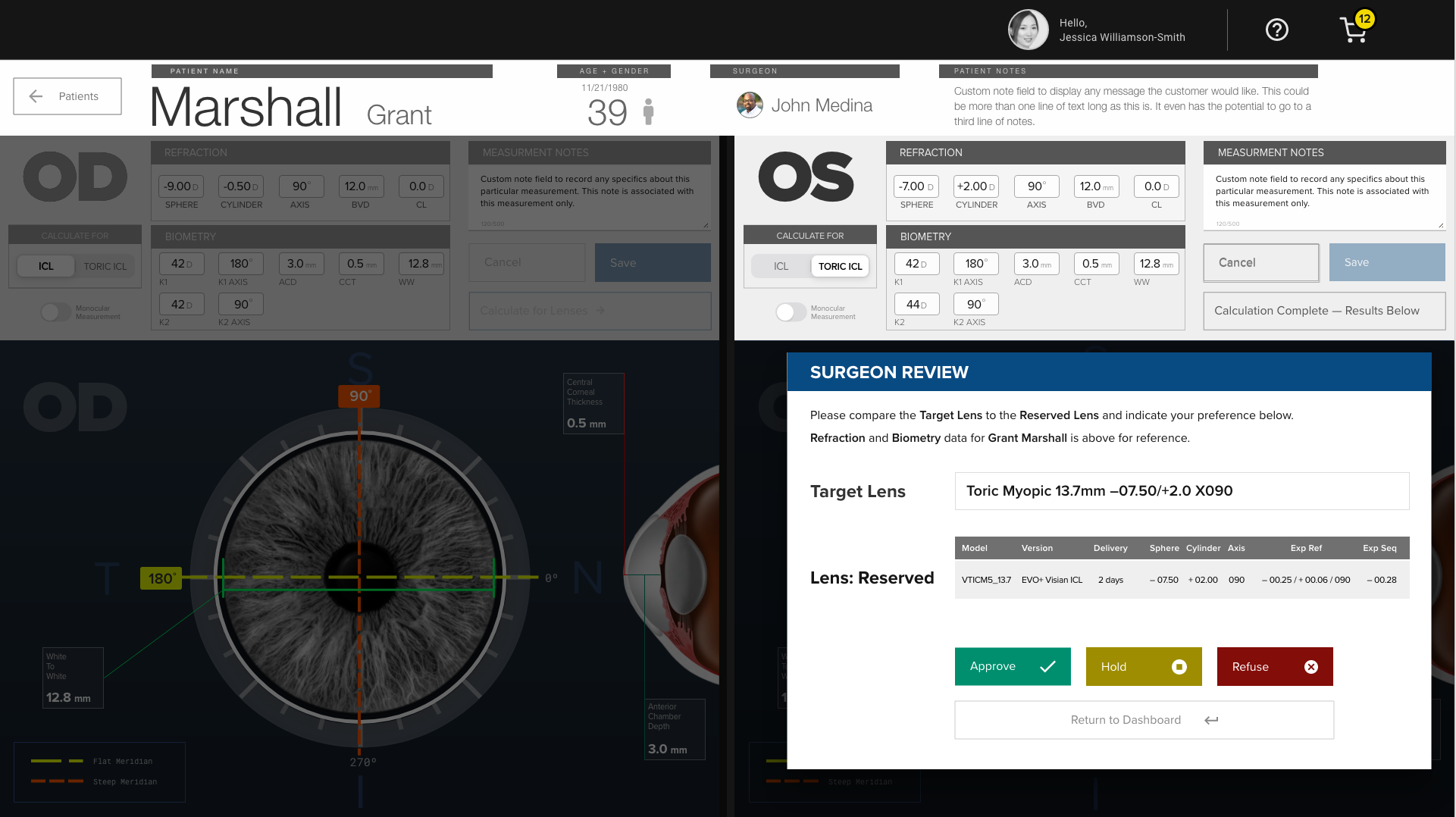
The software was not just old. It was misaligned with how the organization actually worked.
Through video interviews with staff across departments, I mapped workflows, pain points, and the gaps between what the system assumed and what people actually needed to do their jobs. The real problem was not speed or aesthetics. It was that the system did not reflect how a global lens manufacturer operates in practice.
The work required translating between technical teams, users, and executive stakeholders who each saw the problem differently.
What Changed
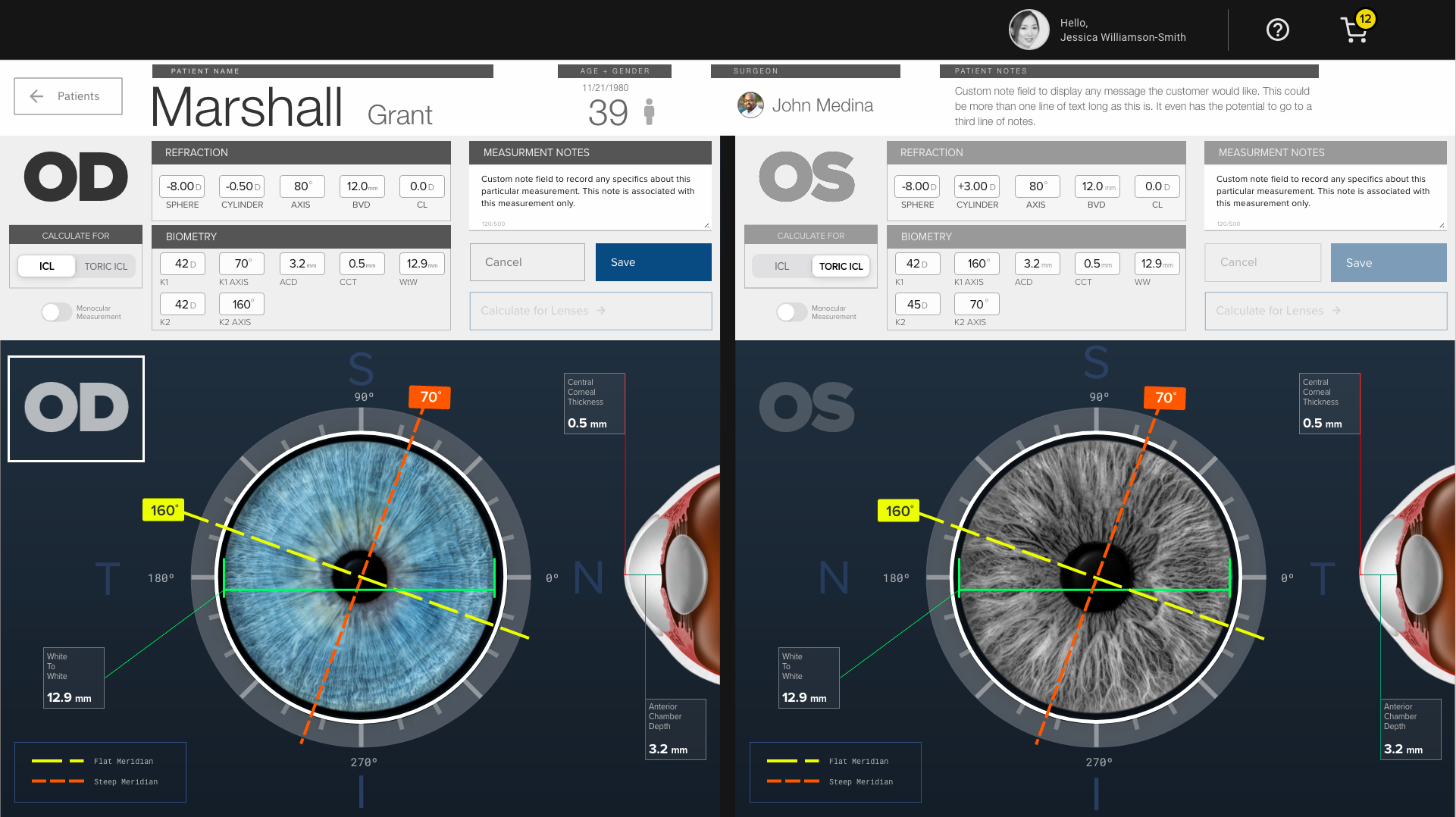
We redesigned the entire business system from the ground up. My discovery work and design recommendations convinced their C-suite that the project was worth investment and worth doing right.
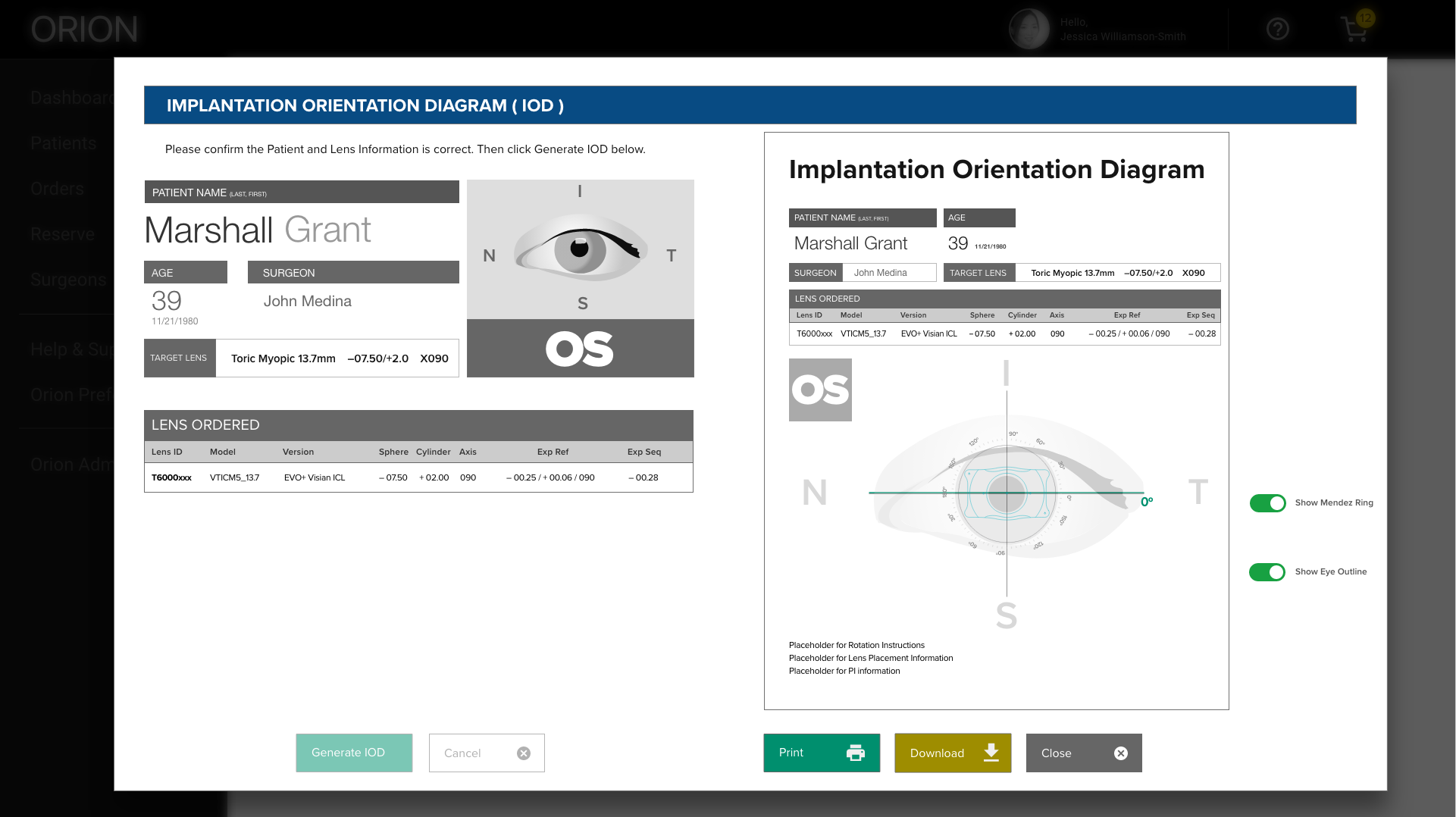
The quality of research, the clarity of the prototypes, and my communication skills secured the full software development contract for my employer. What mattered was not just the designs. It was showing the organization what they actually needed and building confidence that we understood their business deeply enough to deliver it.
Role + Team
Lead UX Designer, responsible for discovery, research, interface design, and stakeholder communication.
Team: Project Manager and Lead UX Designer.
TLDR;
- Reframed a software upgrade into an operational redesign.
- Researched workflows across a global supply chain.
- Connected patient needs to inventory decisions.
- Bridged technical, user, and executive perspectives.
- Identified where the old system misfit real work.
- Built prototypes that clarified the true investment.
- Helped secure the full development contract.
STAAR thought they needed a software upgrade, but the deeper issue was that their aging system no longer matched how the business actually worked.
Through research across departments, I uncovered the workflow gaps between technical assumptions, operational reality, and patient-centered needs across a global supply chain.
The redesign reframed the project at a strategic level and helped secure executive confidence and the full development contract for my employer.
Surrogacy Escrow Management Software Case Dashboard · 2019
TLDR;
- Entered a stalled project as a design rescue.
- Rebuilt client trust through steady collaboration.
- Learned a complex HIPAA-regulated business domain quickly.
- Translated legal, medical, and financial workflows.
- Educated the client on how software teams work.
- Kept design and development aligned through iteration.
- Helped the team launch the MVP successfully.
What They Thought They Needed
A better designer. The client had already hired a UX designer, and it was not working. The relationship was strained, progress had stalled, and they were losing confidence in the project.
They needed someone who could salvage the work, rebuild trust, and get things moving again.

The Problem
The problem was not just the previous designer. The client had never worked with a professional software team before. They did not know what to expect, how to communicate requirements, or how design and development work together.
The challenge was not only designing screens. It was teaching the process and educating the client while executing it.
- Understand a complex HIPAA-regulated business model
- Translate between legal, medical, and financial workflows
- Build confidence through collaboration and iteration
- Keep the developer in sync as design evolved

What Changed
We built the MVP together. Starting with just me and one engineering lead, we worked closely and iteratively, keeping communication open, expectations clear, and progress visible.
The client learned how professional software development works. I learned how to navigate highly regulated, multi-stakeholder environments where sensitivity and trust matter as much as technical execution.
The application launched. The relationship held.
Role + Team
Lead UX Designer, responsible for discovery, research, interface design, client education, and developer coordination.
Team: Project Manager, Lead UX Designer, Lead Developer, QA Lead.

TLDR;
- Entered a stalled project as a design rescue.
- Rebuilt client trust through steady collaboration.
- Learned a complex HIPAA-regulated business domain quickly.
- Translated legal, medical, and financial workflows.
- Educated the client on how software teams work.
- Kept design and development aligned through iteration.
- Helped the team launch the MVP successfully.
This project started as a design rescue, but the real challenge was rebuilding trust with a client who had never worked with a professional software team before.
I had to design the product while also educating the client, translating a HIPAA-regulated business model, and keeping design and engineering aligned as the work evolved.
We launched the MVP and preserved the working relationship, turning a stalled engagement into a collaborative build.